
Prior to 2023, the Exports area of Observatory was the main Intelligence area of the system. Over time, we have developed more robust and effective analysis tools, which you can find on the Analysis page. However, we wanted to ensure that our users still had that core Export functionality available to them.
As part of our ongoing development, we are looking to provide real-time on-screen analysis for all of the exports below, as well as the ability to download XLS, PDF and images of the data via our main analysis page. Once all these pages are available, this page will be retired.
To access the Exports page, click Analysis and select the link near the top of the page that looks like this.
Looking for the exports page? Click here.
Ofsted Grades
The Ofsted Grades export is a quick and useful way to get a clear overview of the latest Ofsted judgements across the schools in your organisation, helping you spot patterns, compare provision and keep key inspection information in one easy-to-use download.
The download will include all sections of your school's Ofsted reports, including a link to the original report.
Self Evaluation
The Self Evaluation exports allow you to download the SEF data for schools in your organisation. There are three options available for you to choose from:
The SEF Grade Matrix will show the school grades for each SEF section using the Ofsted SEF (per school).
The BSQ Grade Matrix will show the school grades for each Bite-Size Question (per school).
The SEF Sections Matrix will show the school grades and content for each SEF section using the Ofsted SEF (per school).
When you select an export, you are prompted to choose a school phase to ensure the relevant SEF data is downloaded.
Development Plan
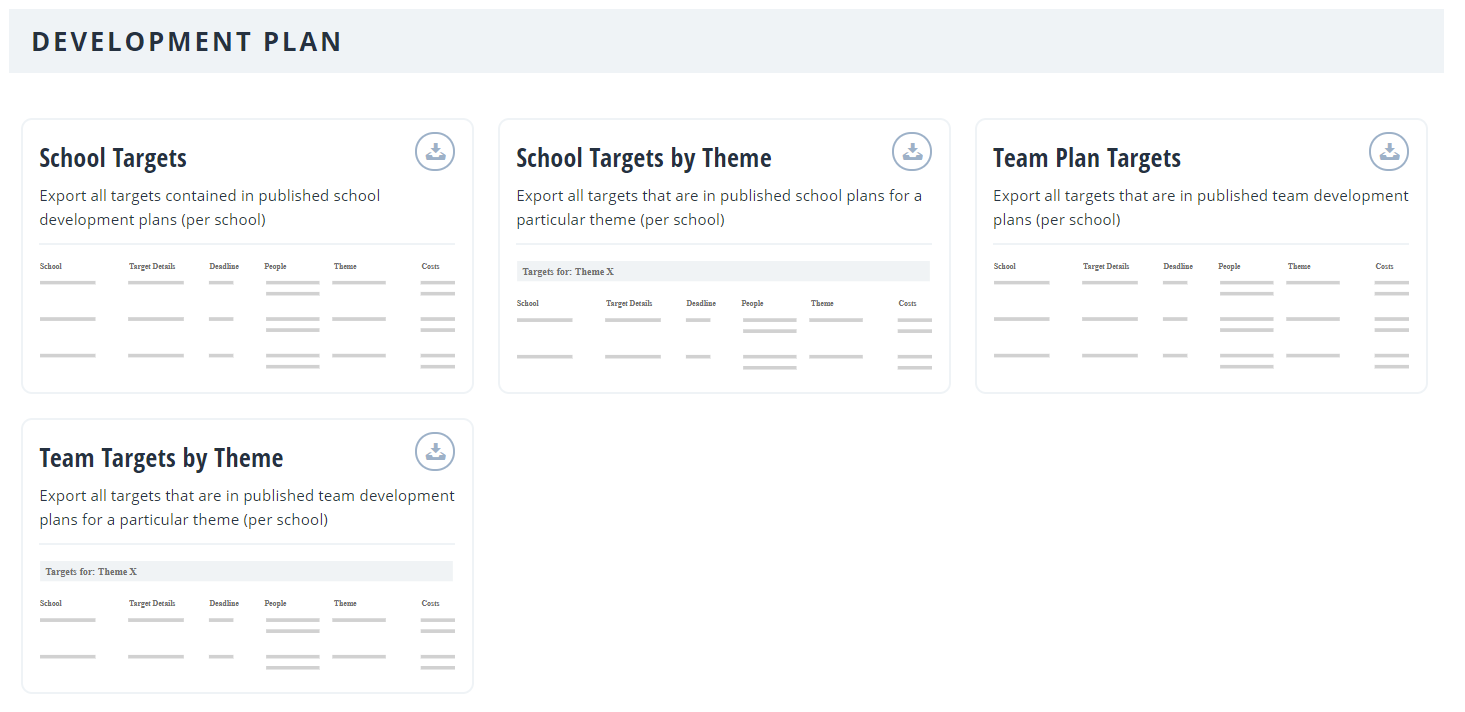
When it comes to the analysis for the development plan, there are two options:
The Targets download will export all the targets in the published plans (per school). This is available for both the whole-school development plan and team plans.
The Targets by Theme option will export all the targets within the published plans for a particular theme (per school). This is available for both the whole-school development plan and team plans.
Performance Management
The Performance Management analysis has been moved to a more robust real-time area within the main Analysis section of Observatory. CPD Needs analysis is the only remaining option while we work on new and improved tools for that area.
Clicking the option here will download an export of your CPD needs aggregated by school.
Visits & Actions
There are two export options available to choose from here. Visits, which contains a raw list of all your finalised visits and Actions, which contains a list of all actions. Actions are included in this export regardless of whether they are linked to a visit.
Admin
The Address Book export will give details (name and telephone number) of all Perspective users (per school).
The Setting Usage export will show when the user last logged in (date and time).